Buying Guides · Smart Home
How to Choose a Smart Speaker: What Actually Matters
Choose a smart speaker by ecosystem and services. Our conditional HomePod mini pick for Apple households, plus a full-size alternative and official links.
Published

THE CLEAR TAKEAWAY
Quick Answer
Choose around your essential household tasks and existing services. Verify setup, playback routes, privacy controls, and smart-home roles before considering multiroom expansion.
Research Method / Evidence Basis
Public-source research. Official standards and manufacturer documentation checked October 12, 2026. Recommendations are editorial judgments about documented fit, not hands-on testing or measured comparisons.
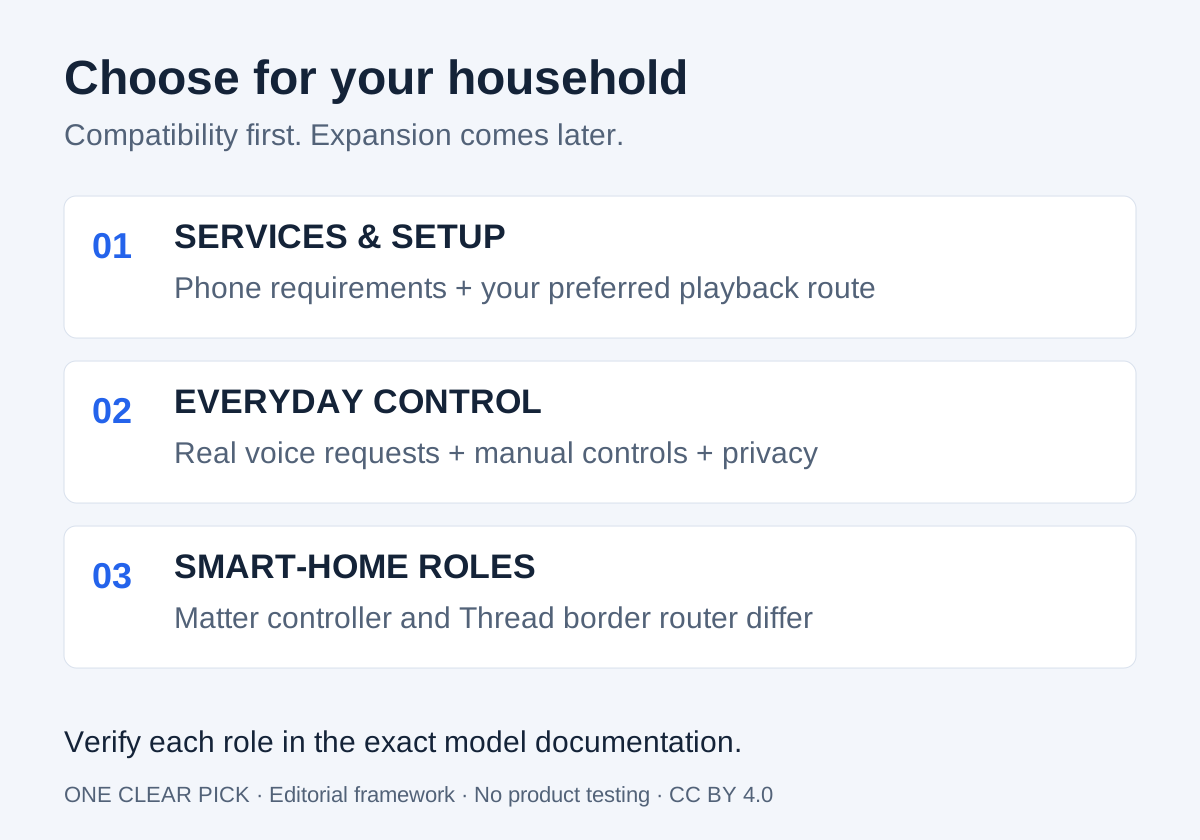
The Short Answer
Choose a smart speaker by the services and household tasks you need it to handle, then assess sound, controls, privacy, and smart-home compatibility. Start with your phone, music subscription, and existing devices. A speaker with an attractive feature list can still be the wrong purchase if your preferred service works only through a route you do not want to use.
For simple timers and occasional background listening, shortlist around easy everyday operation. For regular music listening, give sound evaluation and playback options more weight. For controlling a connected home, verify the exact controller and networking roles you need rather than buying on a vague smart-home badge. Start with one room before buying a system for the whole house.
This is a research-based framework with a conditional shortlist. We have not listened to, installed, or tested the speakers discussed. We quote no prices and include no affiliate links. Our speaker pick applies to Apple households; check other platforms when these requirements do not fit. The goal is to help you identify a compatible purchase and the uncertainties worth resolving before committing.
One Clear Pick
One primary choice, one alternative. Researched October 12, 2026; not hands-on tested. No price or stock promises: check your region on the manufacturer’s page.
Our Pick · Apple households
Apple HomePod mini
Best For: Households with a compatible iPhone or iPad and Apple Home, starting in one room.
Skip If: You use Android only, need a battery speaker or require an unsupported music service.
Why We Picked It: Apple documents Siri, Apple-device integration and Thread networking. Our pick depends on that ecosystem; confirm setup and regional service requirements.
Why Not Others: We choose a compact starting point before committing to a larger room system. We have not compared sound or recognition across platforms; there is no universal ecosystem winner.
View at Apple →Official manufacturer link · not an affiliate link
Alternative · larger Apple setup
Apple HomePod
Best For: Apple households considering the full-size speaker for their main listening room.
Skip If: You mainly need timers and occasional background playback, or lack a compatible setup device.
Why We Picked It: Apple offers the full-size HomePod alongside mini. Audition it and verify services before purchasing; our recommendation concerns intended use, not measured sound superiority.
Why Not Others: Choose it only when your room and listening priorities justify it. Other platforms should be shortlisted by exact service compatibility, not assumed inferior.
View at Apple →Official manufacturer link · not an affiliate link
Define Three Jobs Before You Shop
Write three requests you expect to use frequently. They might be playing your usual radio station, setting a kitchen timer, and switching a particular light. Make the wording concrete. “Works with music” is less useful than “plays my subscription by voice without needing my phone.” “Smart home” is less useful than naming the device and action.
Now decide which jobs are essential. You might tolerate opening a phone app for occasional listening but want a timer to be easy for every household member. Another person might prioritize a familiar playlist and never connect a light. Do not let a feature aimed at someone else’s household become your main buying criterion.
List who will use the speaker, the languages they need, and where it will live. Verify current regional availability for the services that matter. Consider whether guests should be able to use it and who will manage the account. These practical details often decide whether a speaker becomes useful daily equipment or something one person alone knows how to operate.
Ecosystem and Setup: Check the Phone Requirement
A smart speaker is usually part of a platform with an account, setup application, and supported devices. Read the exact product’s setup requirements before purchasing. Do not assume that owning a computer, any smartphone, or another product from the same brand is sufficient to complete setup and maintain it.
Apple’s HomePod setup instructions describe using a compatible iPhone or iPad. That is a concrete platform requirement for the products covered, not a universal rule for other speakers. Apple’s HomePod setup guidance.
Our practical advice is to choose a platform your household can maintain. Decide who will own the home configuration, who can invite other users, and how a second person would regain control if the original setup phone were unavailable. If you are buying for someone else, confirm their actual equipment and preferences instead of assuming they can use your account indefinitely.
Check app installation and account sign-in requirements before opening the box. If a feature depends on a linked third-party account, investigate that link as well. A compatible platform should reduce friction in daily use; it should not require changing several existing subscriptions just to make one speaker convenient.
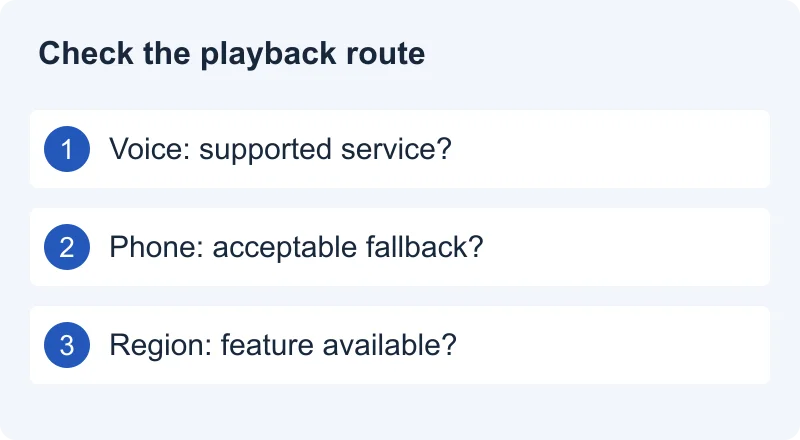
Music Services: Separate Voice Playback From Casting
There are several distinct buying questions: can you request music by voice, send playback from a phone, or use another supported input? A service appearing on a phone does not establish every one of those routes on a speaker. Write down which route you actually want before checking a compatibility list.
Apple documents connected music services for voice playback on HomePod and directs users to a separate playback route for services that are not connected. This illustrates why voice integration and sending audio from another device should be evaluated separately. It is not evidence that every subscription or service supports the same functions in every region. Apple’s HomePod music guidance.
For your shortlist, verify the exact service, account tier, country, and speaker model. Ask whether your essential request starts directly, whether the phone must remain involved, and whether another household member can use the same route. Avoid promising yourself a future integration that has not been documented for the current product.
During an allowed trial, try the tasks on your list: a named playlist, a radio station, pause and resume, and playback after leaving and returning. If a service is essential and its supported route feels cumbersome, remove the candidate even if the hardware otherwise appeals. Compatibility should describe your routine, rather than simply satisfy a checkbox.
Sound: Decide How You Will Listen
Choose a listening use before judging audio features. Spoken radio while cooking, quiet background music, and focused listening are different tasks. Seek evaluations that identify the model, placement, volume, and comparison method. Do not treat a manufacturer’s acoustic feature name as independent evidence that it sounds better than another speaker.
When trying a speaker, use material you know and the volume you expect to use. For speech, check whether you can follow words comfortably. For music, listen for whether the balance suits you without repeatedly adjusting settings. These are suggestions for your personal evaluation, not impressions or test findings from One Clear Pick.
Consider the intended room and location. A demonstration in a store or a reviewer’s room cannot guarantee the same impression on your kitchen counter. Investigate the manufacturer’s placement guidance, leave appropriate space, and check whether the cable reaches a suitable socket. Do not select a larger unit without considering where it will actually sit.
If sound quality matters more than voice assistance, compare the purchase with a conventional speaker that offers your required playback route. A smart speaker should justify the connected functions you will use. Conversely, if timers and simple requests are the main purpose, do not spend extra solely to pursue an audio advantage you have not established as important to you.
Voice Controls: Judge Your Real Commands
An assistant demonstration is not a reliability guarantee for your household. Verify supported language and service availability, then rehearse your ordinary requests during a permitted trial. Use your usual speaking position and typical background sound. Note repeated failures without trying to turn a short personal check into a scientific benchmark.
Test the distinction between a request and its result. Did the assistant hear the words, choose the intended service, and act on the correct device? If the wrong light responds, investigate naming and configuration before assuming the microphone is the cause. Clear room and device names are worth planning when several people share a home.
Also decide what happens when voice is inconvenient. Check physical volume controls, playback controls, and the app route. Investigate accessibility requirements for the person who will use it. A speaker that works only through the interaction you find least comfortable may be a poor fit even if its advertised assistant features are extensive.
Avoid buying mainly for a broad promise of future AI features. Evaluate the supported tasks available now in your region and account. If an advertised capability depends on an additional service or future update, keep it outside your essential requirements until its availability and terms are clear.
Matter and Thread: Different Roles, Different Checks
The Connectivity Standards Alliance describes Matter controllers as managing Matter devices, while Thread border routers connect Thread devices with the wider local IP network. A single product may perform more than one role, but the roles are distinct. CSA’s explanation of smart-home roles.
The Alliance’s FAQ describes Matter using established connectivity technologies including Wi-Fi, Thread, and Ethernet, with Bluetooth Low Energy for setup. Matter and Thread therefore should not be treated as interchangeable labels. CSA Matter FAQ.
Our buying inference is to verify the required role for your exact devices. If you want to add a Matter-over-Thread accessory, check both platform support for that accessory’s functions and whether your home has the necessary Thread border router. If your accessory uses Wi-Fi, do not assume that a missing Thread radio is automatically a problem. Read device documentation rather than buying networking equipment solely because it appears in a comparison table.
Make a compatibility sheet with four columns: accessory, required connection, controller or bridge requirement, and essential action. Confirm the exact generation of the speaker; similar names are not enough. Also separate a device’s basic control from manufacturer-specific advanced features. A compatibility claim should tell you which action will work, not merely that two logos appear together.
Privacy: Review Controls and Account Settings Separately
Privacy is a buying requirement, not something to postpone until setup. Investigate how the exact model disables voice listening, how it indicates that state, and what the platform says about processing and retention. Do not equate a volume control, an assistant setting, and a physical microphone control without checking the manual.
Google’s account guidance distinguishes its voice-and-audio activity setting from other activity settings. It explains that turning audio saving off changes whether recordings from the described voice interactions are saved to the Google Account, while other activity may still be saved. This is a specific retention explanation, not a guarantee that all processing or all data collection stops. Google’s audio-recording guidance.
Our advice is to review listening controls, stored recordings, activity history, personalization, and account sharing as separate questions for whichever platform you choose. Confirm the current documentation applies to the assistant and device being sold. A help page for a different product or an older service should not substitute for that check.
Discuss placement with the people sharing the room. Decide whether personal responses are wanted, which account should be connected, and how someone can pause voice use without navigating an unfamiliar app. If the household is uncomfortable with the required arrangement, choose another playback solution. Convenience has little value when people avoid using the equipment.
Connectivity and Dependence on Services
A connected speaker needs more than a nearby power outlet. Read the network requirements and consider whether the intended location has a suitable connection. Shared, guest, and workplace networks may have rules or restrictions that differ from a normal home setup. Check those before assuming that a speaker can simply join any available Wi-Fi network.
Separate local device communication from internet-dependent services. Matter’s local-network architecture does not prove that every voice request, music service, or platform automation will continue working during an internet interruption. Verify the documented behavior of the exact features you care about. Do not infer offline assistant capability from the presence of a smart-home controller.
For your own acceptance check, reconnect after a router restart and confirm the important functions return. If you need a particular fallback playback route, verify it in the manual and try it. Avoid relying on an undocumented backup for an essential routine. Keep manual controls available for the home devices you connect, particularly when several people depend on them.
Multiroom, Stereo, and the Cost of Expansion
If you plan to add speakers later, investigate grouping and pairing before buying the first one. Confirm which models can form the arrangement you want and whether stereo pairing has different requirements from multiroom playback. Do not assume two devices that use the same assistant can necessarily form your preferred audio system.
Think about household control as well as hardware. Who chooses the music in a shared room? Can the desired subscription support the intended use? Are room names easy to distinguish? If multiple people want different playback at once, check account and service requirements instead of discovering them after buying several units.
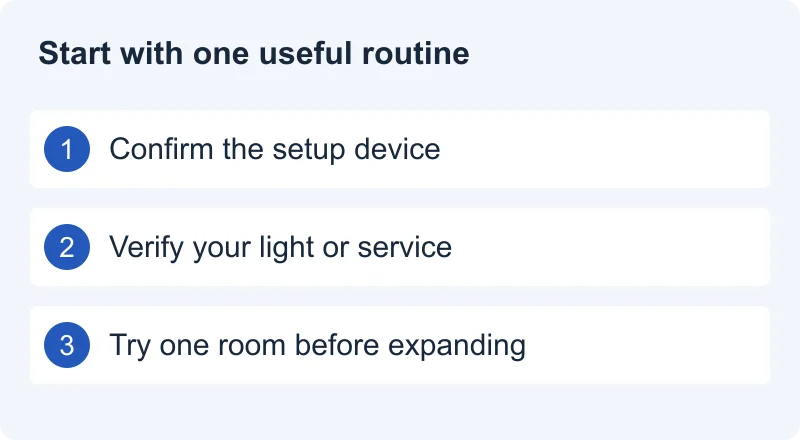
Our recommendation is to start with one speaker and one meaningful routine. Add more only when the first setup proves useful to you. Compare the complete planned system, including subscriptions or extra networking hardware where required, rather than judging value by the first speaker alone. No price or savings claim is made here; calculate using current terms for your own region.
Common Buying Mistakes
- Picking an assistant before verifying essential services. Start with your music and device-control requests.
- Treating casting as identical to voice playback. Confirm the route you want to use.
- Assuming Matter implies a Thread border router. Check each role in the exact model’s documentation.
- Buying every room at once. Resolve account, sound, and workflow preferences with one room first.
- Skipping privacy settings. Review listening, processing, retention, and sharing separately.
- Counting future features as present value. Buy around documented availability, not an announcement alone.
Keep unresolved items visible on your shortlist. If a seller cannot confirm an essential function, look for a current manufacturer support page or remove the candidate. Do not replace missing evidence with a reviewer’s assumption or a feature list for another generation. A small, well-supported shortlist is easier to act on than a long list of partly compatible devices.
How We Research
We checked the linked sources on October 12, 2026. CSA explains networking and controller roles. Apple documents setup and music workflows for HomePod. Google describes specific recording-retention controls. These are primary sources for standards and supported behavior; they are not independent audio measurements or evidence that one platform is better than another.
We have not conducted hands-on testing, evaluated microphone recognition, measured sound, or verified reliability in a household. We assign no ratings and publish no affiliate links in this guide. Our suggested priorities, shortlist process, and acceptance checks are editorial judgment. Product examples are limited to the documented behavior cited, and should not be extrapolated to every generation or competing platform.
Services, assistants, and platform support can change. Recheck the exact model and current region-specific documentation before purchase. See How We Pick for our broader approach, About One Clear Pick for the site’s purpose, and contact us to report a correction.
Final Recommendation
Choose the speaker that handles your essential requests through routes you are willing to use, fits your existing equipment, and offers controls your household understands. For music, resolve service integration and sound preferences. For home control, resolve controller, networking, and accessory compatibility. For any shared room, resolve privacy and account ownership before expanding.
Before keeping it, try your three original tasks, check the alternative controls, review account settings, and confirm reconnect behavior. If the setup needs extra purchases or a service change, include that in the decision. The clear pick is a supported fit for your household today. Explore our Smart Home category and Buying Guides for more research.
Sources and References
- Apple HomePod mini technical specifications
Thread and setup requirements; accessed October 12, 2026. Check latest regional documentation.
- Apple HomePod mini official product page
Model and capabilities checked October 12, 2026. Manufacturer claims, not independent measurements. Pricing and availability vary; verify your region on the official page.
- Apple HomePod official product page
Model and capabilities checked October 12, 2026. Manufacturer claims, not independent measurements. Pricing and availability vary; verify your region on the official page.
- Connectivity Standards Alliance: Peeking Under the Hood of Your Matter Smart Home
Matter controller and Thread border router roles. Accessed October 12, 2026.
- Connectivity Standards Alliance: Matter FAQ
Matter uses existing networking technologies; compatibility context, not a guarantee of every platform feature. Accessed October 12, 2026.
- Apple: Set up HomePod or HomePod mini
Setup with a compatible iPhone or iPad; model-specific platform requirements. Accessed October 12, 2026.
- Apple: Use Siri to play and listen to music on HomePod
Connected music services and separate playback routes; not a claim that every service integrates identically. Accessed October 12, 2026.
- Google: Manage audio recordings in your Web & App Activity
Audio retention settings and their scope for the Google services described; not a general privacy guarantee. Accessed October 12, 2026.